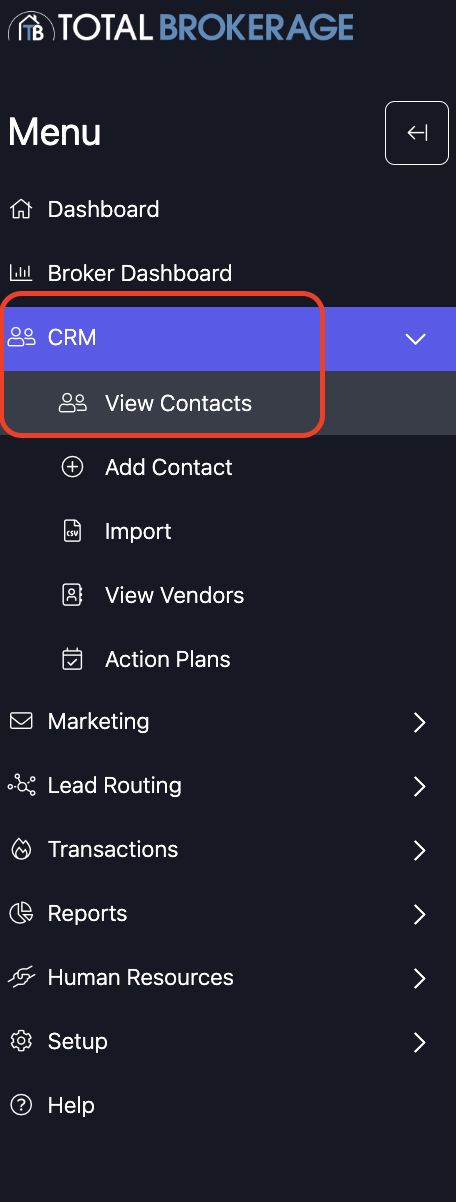
Go to CRM → View Contacts.
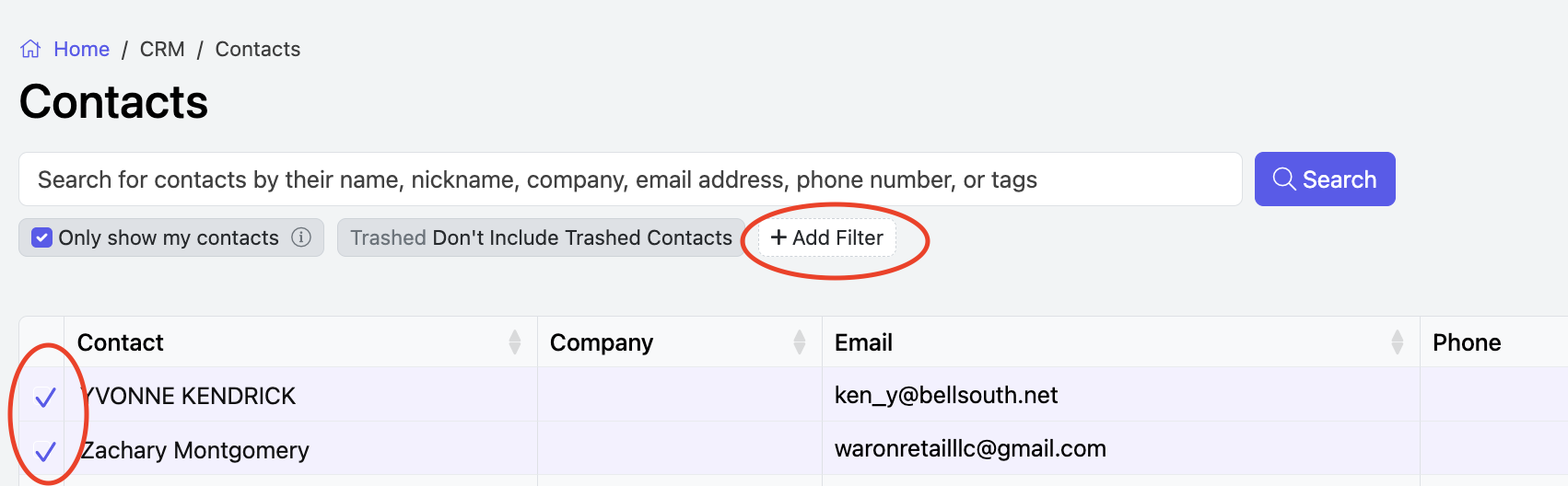
Select Contacts: Check off the contacts you want to add to the automation, or use +Add Filter to narrow your search.
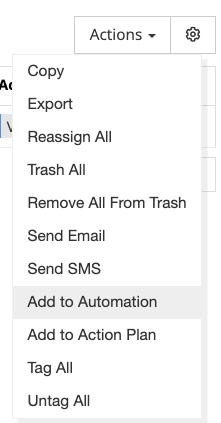
Then, click the Actions button, and select Add to Automation.
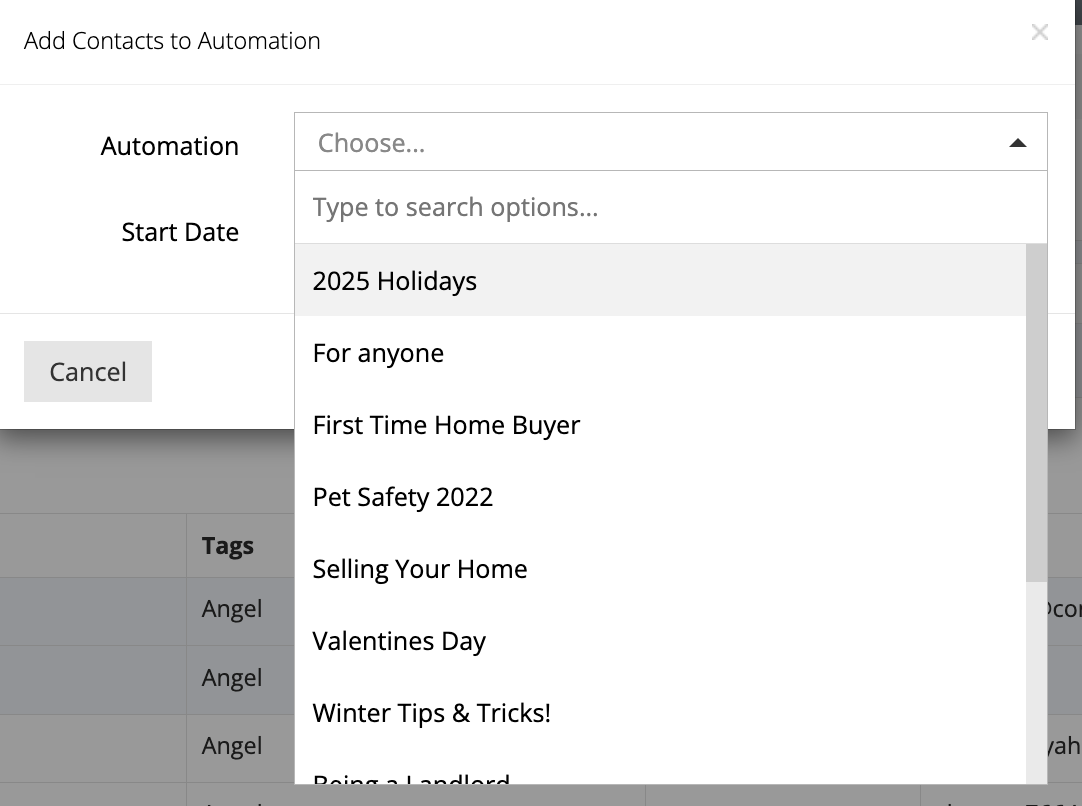
Automation Name: Select the name of the Automation by clicking the dropdown arrow (these are configured in Marketing → Automations)
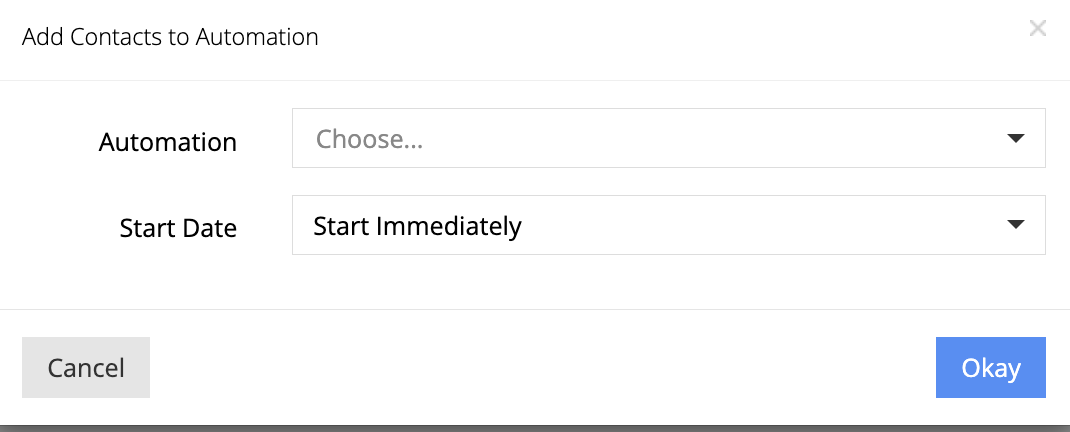
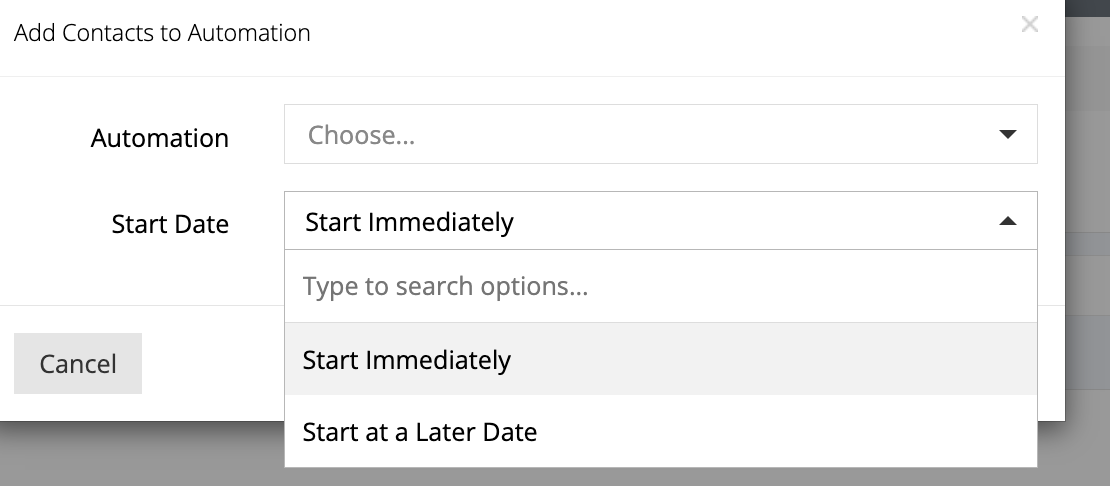
Start Date: Choose whether you want to start the automation Immediately or At a Later Date.
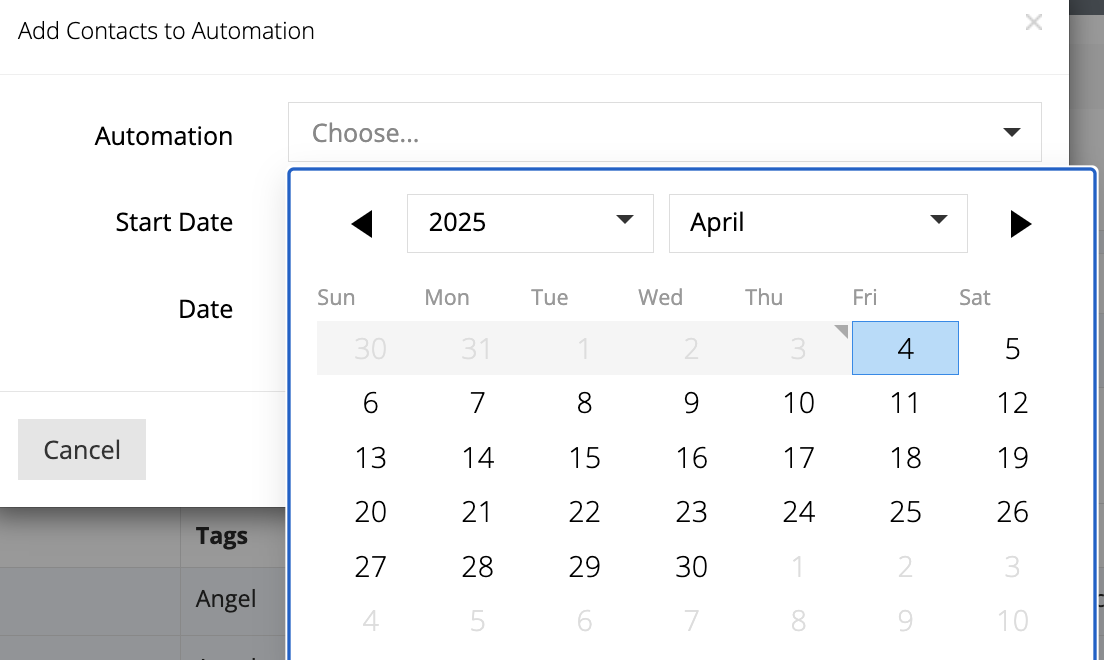
* If you choose Start A Later Date, a calendar widget will open, allowing you to select a date.
Then select Okay.