
To add a new account pool to use in your Lead Routing, navigate to Lead Routing -> Account Pools.
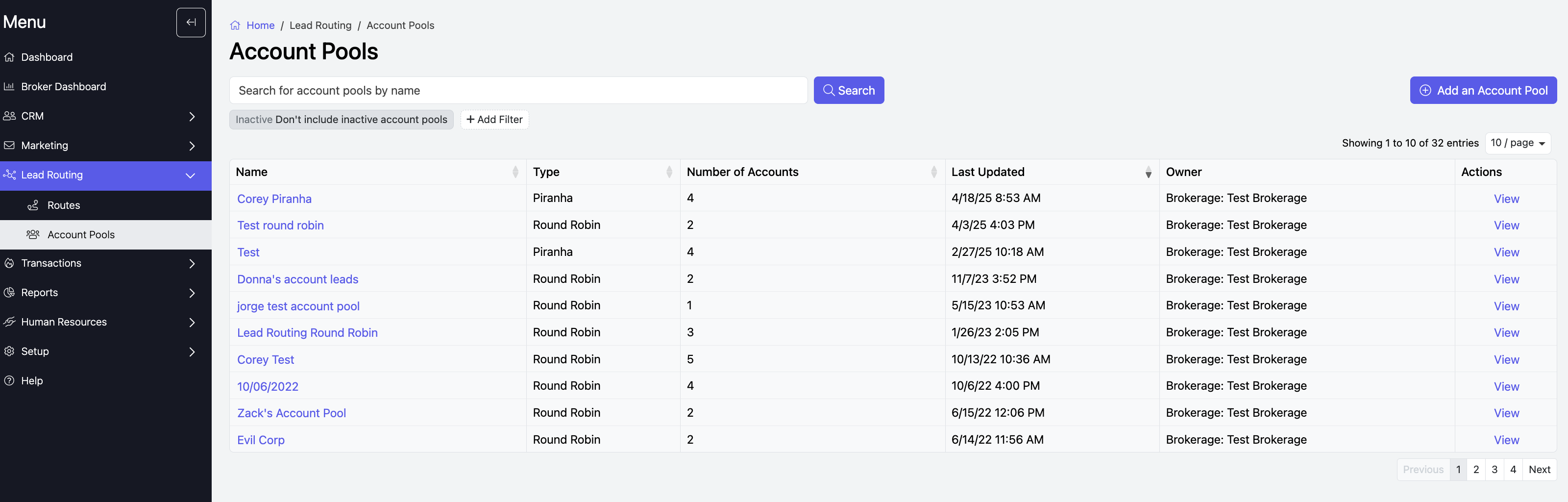
On this page you can add, view, and edit Account Pools. To add a new pool click actions at the top right and then press Add an Account Pool.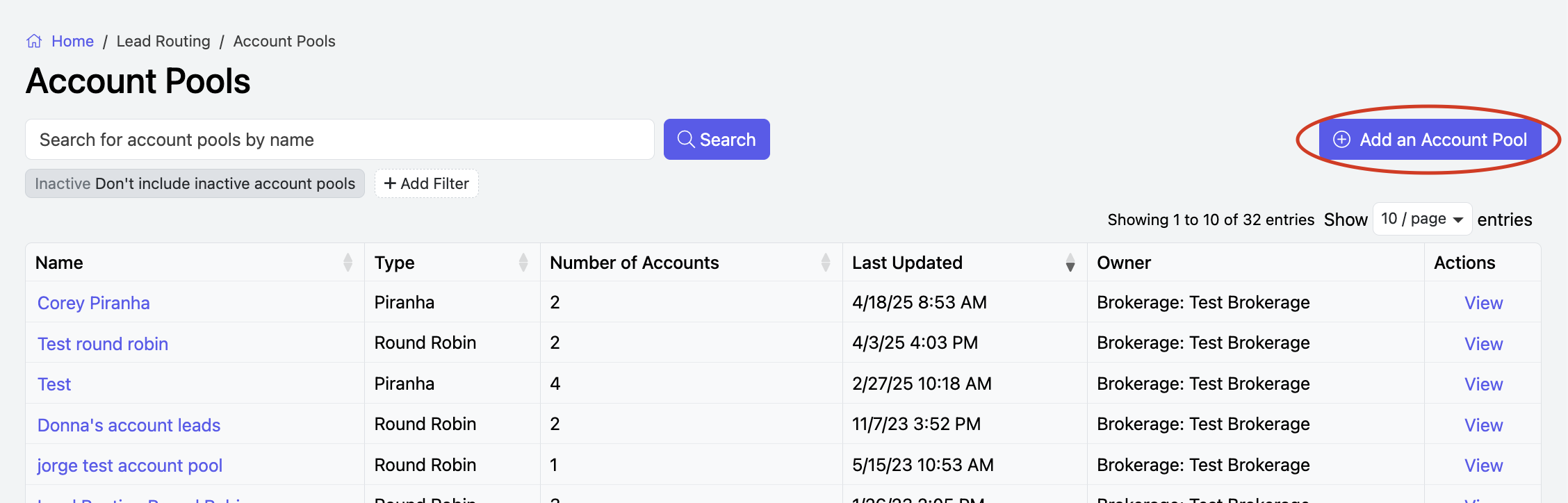
Here, you choose if the Account Pool will be for an Office or Brokerage, name the pool, choose if it is for Round Robin or Piranha lead routing, and add a description.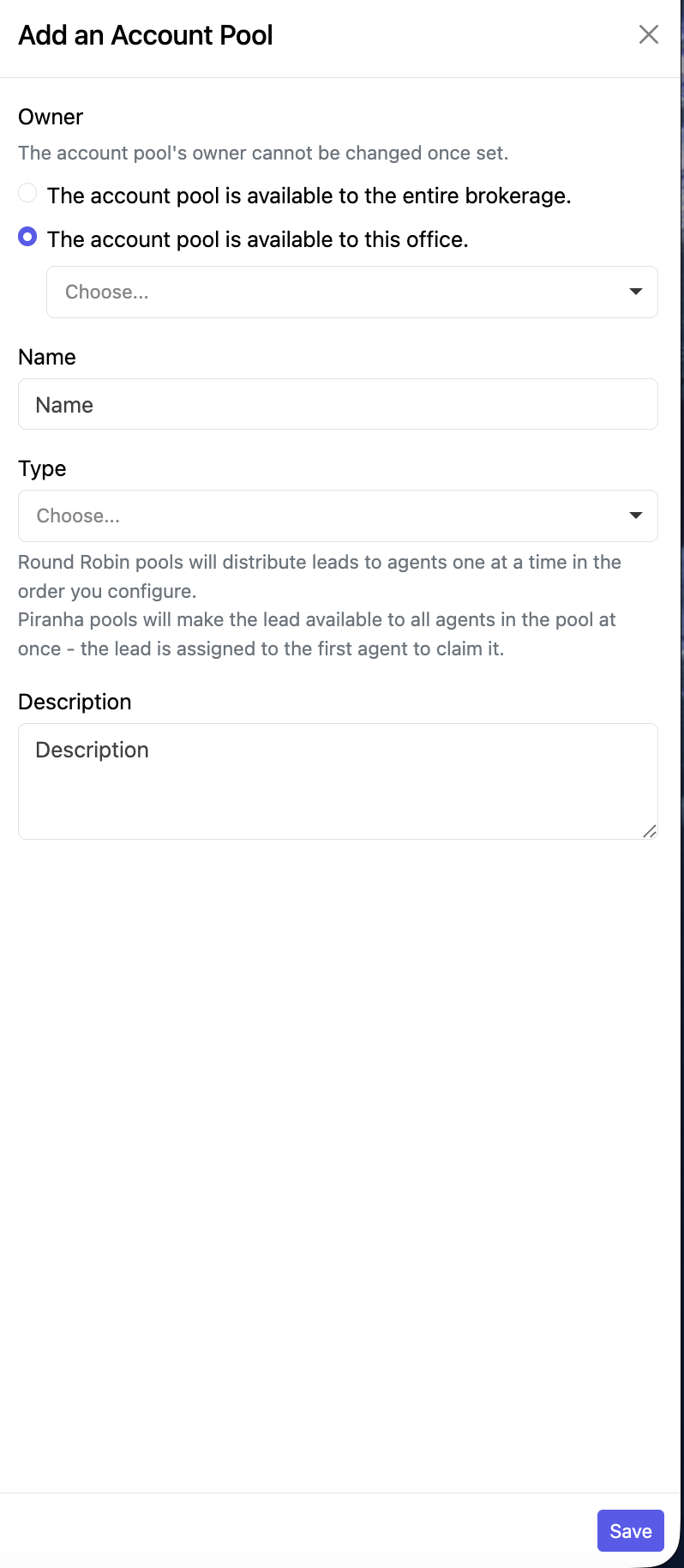
When you are done filling out the page, click Save at the bottom, and the Account Pool will be created.
To continue learning about editing account pools click here.